Fold. Fly. Done.Free online PDF tools — merge, compress, convert & more, right in your browser.
Transform PDFs effortlessly. Merge, split, compress, and sign — all in one elegant tool. No signup. 100% private. Your files stay yours.
Drag & drop your PDF here
or click to browse files · Secure & private
Upload PDF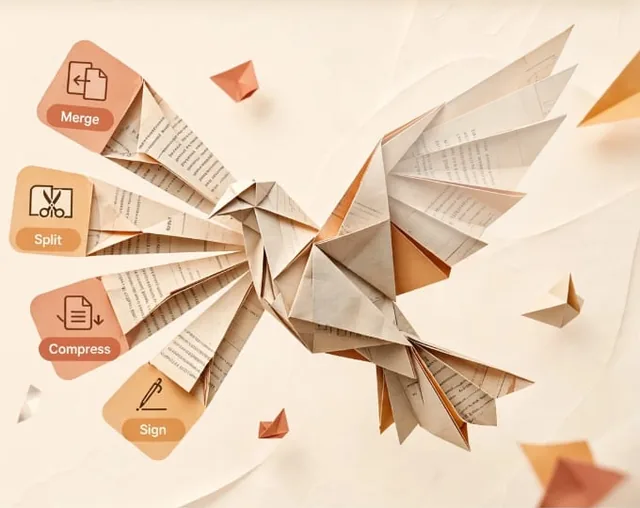
The toolkit
All-in-one PDF tools
Everything you need for PDFs, available instantly. No installation required.
28tools work today, right in your browser
01
Organize PDF
Merge, split, reorder and rotate pages.
- Merge PDFCombine PDFs in the order you want with the easiest PDF merger available.
- Split PDFSeparate one page or a whole set into independent PDF files.
- Rotate PDFRotate your PDFs the way you need them. Rotate multiple pages at once.
- Organize PDFSort pages however you like. Delete or add pages at your convenience.
02
Optimize PDF
Make files smaller and fix damaged ones.
03
Convert PDF
Move between PDF, Office, images, HTML and Markdown.
- PDF to WordConvert PDF text into an editable DOCX document. Layout, tables and images are not preserved.
- PDF to PowerPointTurn PDF pages into editable PPTX slides — one slide per page, text only.
- PDF to ExcelPull PDF text lines into a real .xlsx file — one row per line. Table structure is best-effort.
- Word to PDFConvert DOCX text into a PDF. Formatting is simplified — bold, tables and images are not preserved.
- PowerPoint to PDFConvert PPTX slide text into a PDF. Slide design and images are not preserved.
- Excel to PDFConvert Excel sheets into a PDF. Cell values as text rows — formulas and charts are not preserved.
- PDF to JPGConvert each PDF page into a JPG, or extract the images in a PDF.
- JPG to PDFConvert JPG and PNG images to PDF in seconds. Adjust orientation and margins.
- HTML to PDFPaste or upload HTML and download it as a PDF. Rendered as pages — text is not selectable.
- Scan to PDFTake photos with your camera (or upload images) — each photo becomes one PDF page.
- PDF to MarkdownTurn PDF text into a Markdown file. Headings are guessed from font size; tables and images are not preserved.
- PDF to PDF/ASoonTransform your PDF to PDF/A, the ISO standard for long-term archiving.
04
Edit PDF
Add text, stamps, numbers and crop pages.
- Edit PDFOpen your PDF and click any text to edit it directly — then download the edited PDF.
- WatermarkStamp text over your PDF. Choose the size, transparency and position.
- Page NumbersAdd page numbers into PDFs with ease. Choose position and style.
- Crop PDFCrop margins of PDF documents, one page or the whole document.
- PDF FormsFill the text fields of a PDF form and download a filled, flattened copy.
05
PDF Security
Sign, redact and protect documents.
- Sign PDFDraw or upload a signature and place it on any page. A drawn image signature, not a certified digital signature.
- Redact PDFCover words or areas with black rectangles. Visual cover only — the text underneath stays in the file.
- Unlock PDFSoonRemove PDF password security, giving you the freedom to use your PDFs.
- Protect PDFSoonProtect PDF files with a password. Encrypt documents to prevent access.
06
PDF Intelligence
Compare, summarise and read your PDFs.
- OCR PDFConvert scanned PDFs into searchable and selectable documents. Runs on your device — pages that already have text are kept as-is.
- Question ExtractorPull MCQ questions out of job-exam PDFs — up to 10 files at once. Broken Bangla fonts are auto-fixed, then questions, options, answers and explanations are parsed into clean JSON.
- Compare PDFCompare the text of two PDFs and download a report of added and removed lines.
- Basic SummarizerPick the key sentences from a PDF by word frequency. Basic extractive summary — no AI, no server.
- Translate PDFSoonTranslate PDF files, keeping fonts, layout and formatting intact.
Tools marked Soon need a server and will arrive in a later version — they are not fake buttons.
Also included
Image tools
Resize, compress, crop, convert and rotate pictures — like PicResize, but entirely in your browser. Nothing is uploaded to our servers — if you connect Google Drive, a copy is saved to your own Drive.
6 image tools work today, right in your browser.
- Resize ImageResize a picture by exact pixels, percentage, or preset social sizes. Keep the aspect ratio or stretch it — your choice.
- Compress ImageShrink an image's file size with a quality slider. Shows the before/after size and exactly how much you saved.
- Crop ImageDrag a box over your picture — or type exact pixel values — and download just that part. Free crop or fixed aspect ratios.
- Convert ImageConvert between JPG, PNG and WebP in your browser. Real conversion, not a renamed file.
- Rotate ImageRotate 90°, 180° or 270° and flip horizontally or vertically. The result is a new image file.
- Remove BackgroundErase the background from any photo with on-device AI. Nothing is uploaded — the result downloads as a transparent PNG.
Why choose Nirvoy PDF?
100% Private
Your files are processed in your browser. If you connect Google Drive, a copy is saved to your own Drive — your choice, nothing goes to our servers.
Lightning Fast
Process files instantly. No waiting for uploads or downloads, just immediate results.
Free — 33 tools
Use all 27 working PDF tools and 6 image tools free, with no account. Start working in seconds.
Your files never leave your browser.
Nirvoy PDF runs entirely on your device using your browser. No data is sent to our servers. Ever. Tools that need a server or paid AI — Unlock, Protect, PDF/A and Translate — are marked coming soon and will be added with a backend in a later version.